Usage
The Web DApp covers the full stablecoin lifecycle: creation, treasury operations, compliance, and configuration.
1. Token Creation (The Wizard)
Click the + button in the top navigation bar to create a new stablecoin:
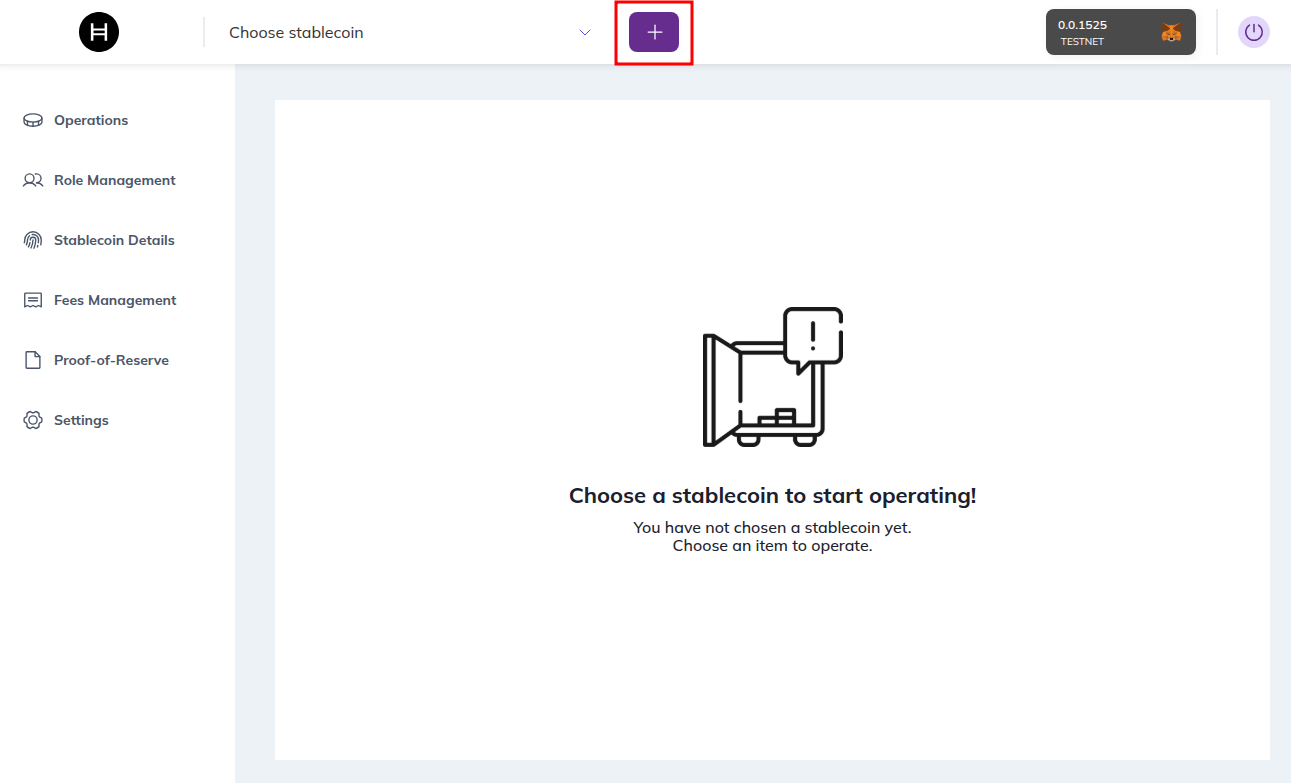
This launches a step-by-step wizard that abstracts the complexity of the Factory contract.
- Step 1 — Token Details: Define Name, Symbol, and Decimals. These are immutable after creation.
- Step 2 — Supply Management: Configure Initial Supply (minted immediately to treasury) and Max Supply (hard cap, optional).
- Step 3 — Key Management: Assign who holds each key role:
- Smart Contract — the key is owned by the contract (trustless).
- Current Account — you hold the key (centralized control).
- Other Account — assign to a specific ID (e.g., a cold wallet or multisig).
- Step 4 — Advanced Features:
- Proof of Reserve — link minting to an on-chain oracle feed.
- Grant KYC — if enabled, accounts must be explicitly approved before holding tokens.
- Result: The DApp calls
sdk.createStableCoin()and redirects to the token dashboard.
Associating an Existing Stablecoin
To operate on an existing stablecoin, type its address directly in the "Choose stablecoin" dropdown at the top of the page:

The DApp will look up the token on Hedera and load it into your session.
2. Operations
Once you have your stablecoin created or imported, you can perform the available operations from the Operations tab:
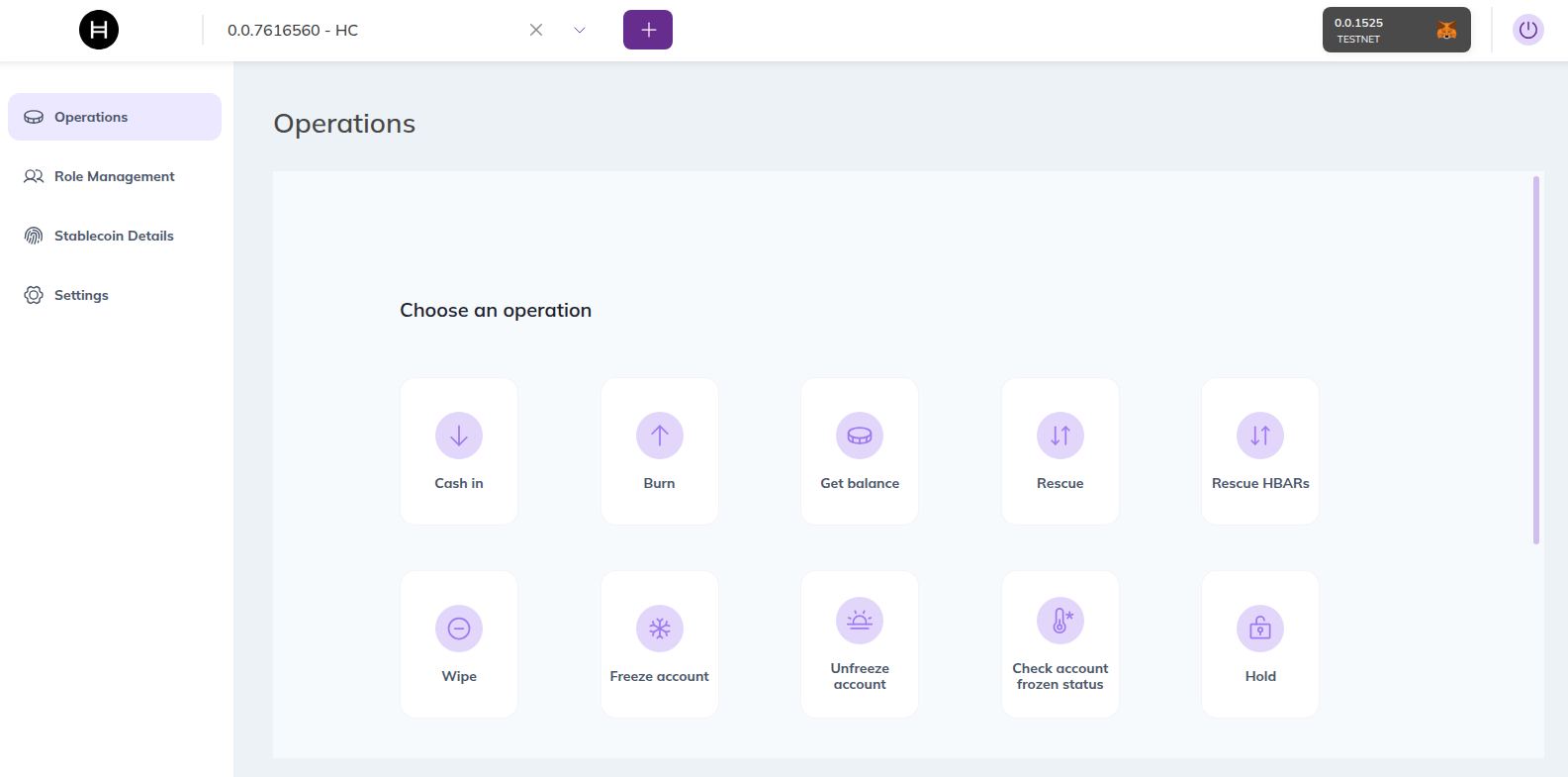
| Operation | Description |
|---|---|
| Cash In (Mint) | Select a target address and amount. Increases total supply. If Proof of Reserve is enabled, the oracle feed is checked first. |
| Burn | Burn tokens from the treasury balance. Decreases total supply. |
| Get Balance | Check the token balance of any account. |
| Rescue | Recover HTS tokens accidentally sent to the stablecoin contract. Requires RESCUE_ROLE. |
| Rescue HBARs | Recover HBAR accidentally sent to the stablecoin contract. Requires RESCUE_ROLE. |
| Wipe | Forcefully remove tokens from a user's account. Requires WIPE_ROLE. |
| Freeze / Unfreeze Account | Block or restore an account's ability to transfer tokens. Requires FREEZE_ROLE. |
| Check Account Frozen Status | Verify whether a specific account is currently frozen. |
| Hold | Temporarily lock tokens under an escrow address for secondary market or compliance scenarios. |
Danger Zone
At the bottom of the Operations tab you will find irreversible or high-impact actions:
| Operation | Description |
|---|---|
| Pause Token | Halts all transfers globally. Requires PAUSE_ROLE. Use for emergencies only. |
| Unpause Token | Resumes all transfers after a pause. Requires PAUSE_ROLE. |
| Delete Token | Permanently removes the token from the Hedera ledger. Irreversible. Requires DELETE_ROLE. |
3. Role Management
The Role Management tab lets you control who can perform each operation on your stablecoin.
| Action | Description |
|---|---|
| View Roles | See which accounts currently hold each role (Admin, Cash-in, Burn, Wipe, Freeze, KYC, Rescue, Delete). |
| Grant Role | Assign a role to a new account. Requires DEFAULT_ADMIN_ROLE. |
| Revoke Role | Remove a role from an account. Requires DEFAULT_ADMIN_ROLE. |
| Edit Supplier Allowance | For cash-in role holders, set, increase, or decrease their minting allowance. |
4. Stablecoin Details
The Stablecoin Details tab shows the token's on-chain metadata and current state:
- Token Info: Name, symbol, decimals, token ID, and proxy contract address.
- Supply: Current total supply and max supply cap.
- Keys: Which accounts or contracts hold each key (Admin, KYC, Freeze, Wipe, Supply, Fee, Pause, Delete).
- Status: Whether the token is paused or active.
5. Fees Management
The Fees Management tab allows administrators to configure custom fee schedules on the token.
Fee Types
| Type | Description |
|---|---|
| Fixed | A flat amount charged per transfer. |
| Fractional | A percentage of the transferred amount, with configurable min and max bounds. |
Fee Configuration
When adding a fee you configure:
- Currency: The fee can be charged in HBAR or in the current stablecoin itself.
- Payer: Choose whether the sender or the receiver pays the fee.
- Collector Exempt: When enabled, the fee collector account is exempt from being charged fees on its own transfers.
- Min / Max (fractional only): Set a minimum and maximum amount so the fee stays within a defined range.
- Collector Account: The account that receives the collected fee amounts.
You can also view all currently active fee schedules and remove existing fees.
6. Proof-of-Reserve
The Proof-of-Reserve tab manages the link between your stablecoin and its reserve data feed:
- View Reserve: Check the current reserve amount reported by the oracle.
- Update Reserve (demo mode): Manually set the reserve amount if using the demo reserve contract.
- Change Feed Address: Point the stablecoin to a different Chainlink-compatible AggregatorV3 data feed.
When Proof of Reserve is active, minting is blocked if the new total supply would exceed the reported reserve.
7. Settings
The Settings tab lets you update the stablecoin's proxy configuration:
- Business Logic Resolver (BLR): Change the resolver address the stablecoin proxy points to.
- Config Resolver ID: Update the configuration key used to look up facets in the resolver.
- Config Version: Set the logic version the stablecoin should use.
8. Multi-Signature Mode
The Multi-Signature mode allows stablecoin operations to require approval from multiple signers before execution. This is useful for accounts controlled by a key list (e.g., 2-of-2 multisig). Instead of connecting with a wallet, you connect using the multisig account ID directly.
From multisig mode you can create transactions, and each signer approves them individually from the Multi-sig transactions section in the sidebar.
For the full step-by-step guide, see the Multisig page.
Permissions & Visibility
The UI adapts to your connected wallet's on-chain roles:
- If your wallet lacks
ADMIN_ROLE, the "Settings" tab is hidden. - If your wallet lacks
CASHIN_ROLE, the "Mint" button is disabled. - If your wallet lacks
FREEZE_ROLE, the "Freeze" controls are not shown.
These are UX guard rails only. The real security is enforced on-chain — the Hedera network rejects any unauthorized transaction regardless of what the frontend shows.